
Generating Timeline Hover Previews with Android Media3
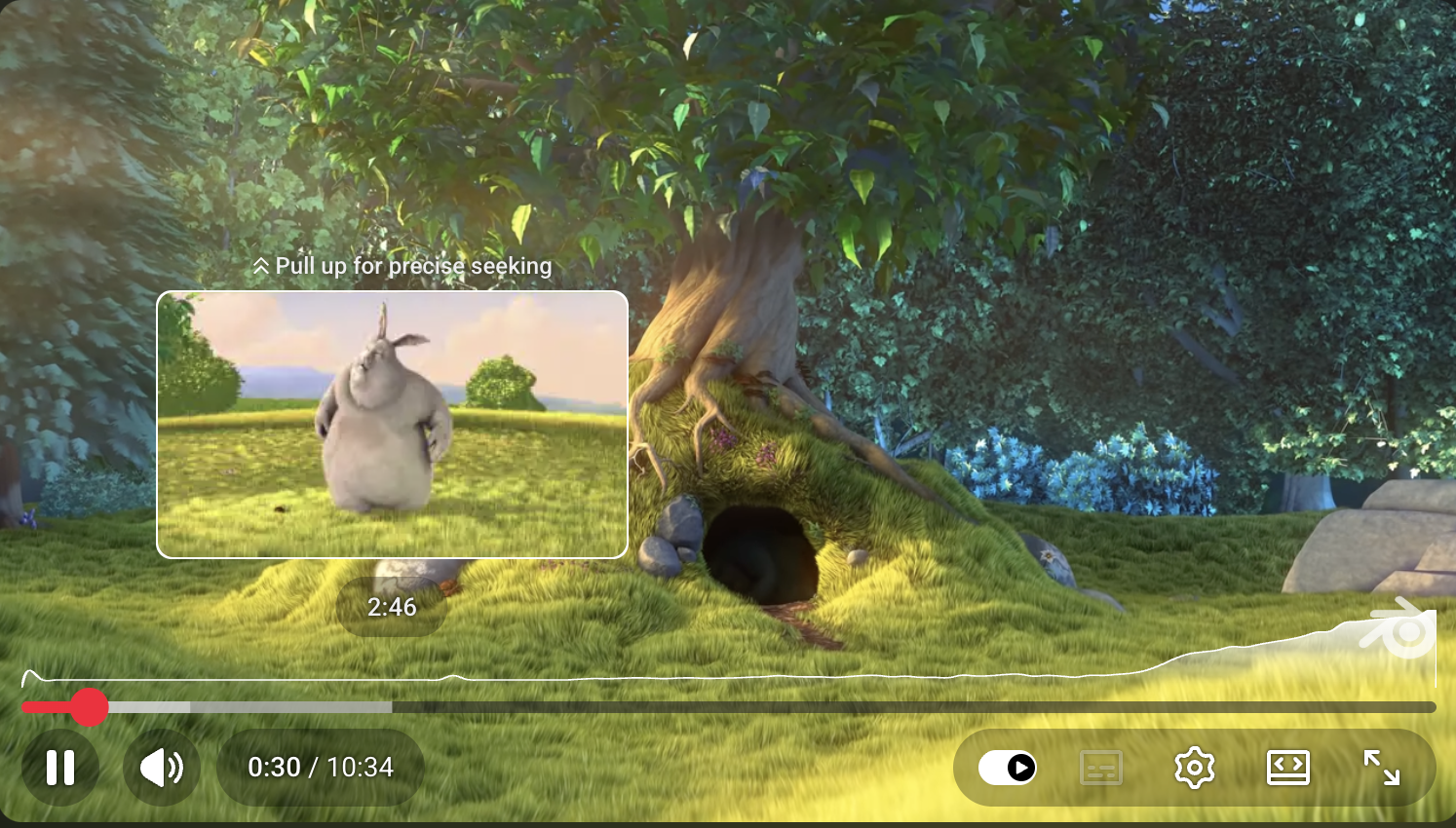
When you scrub through a video on YouTube, you see a thumbnail popup that follows your finger. These are commonly called timeline hover previews (or trick play, scrub bar previews). Behind the scenes, the player maps the seek position to a tile inside a storyboard: a single sprite image containing many thumbnails arranged in a grid, paired with metadata that describes which region corresponds to which time range.
This is usually generated server-side, but you can do it entirely on-device using Media3 Inspector APIs. Here’s how.
The complete implementation is in StoryBoardGenerator.kt.
Retrieve video duration with MetadataRetriever
Before extracting frames, we need to know how long the video is so we can compute evenly-spaced thumbnail positions.
MetadataRetriever reads media metadata without decoding the full stream. We build one from a MediaItem, call retrieveDurationUs(), and convert the result from microseconds to milliseconds.
MetadataRetriever implements AutoCloseable, so wrapping it in .use {} ensures it releases its internal extractor resources when we’re done. The retrieveDurationUs() method returns a ListenableFuture. Calling .await() bridges it into a coroutine suspension point so we don’t block any threads.
| |
Read more: Retrieve metadata with Media3 Inspector.
Extract frames with FrameExtractor
With the duration known, we compute evenly-spaced positions and arrange them into a balanced grid (see the grid layout logic in the full source). The interesting part is pulling the actual frames out of the video.
FrameExtractor decodes frames at specific timestamps from a MediaItem. Like MetadataRetriever, it implements AutoCloseable, so .use {} ensures the underlying codec and surface resources are released when extraction is done.
Before building the extractor, we set up a Presentation effect with createForWidthAndHeight. This is a Media3 video effect that resizes each decoded frame to our target thumbnail dimensions using LAYOUT_SCALE_TO_FIT, so every tile ends up the same size regardless of the source video’s aspect ratio.
getFrame() takes a timestamp in milliseconds and returns a ListenableFuture<Frame>. The returned frame’s bitmap is the decoded, resized image at (or near) that position. We .await() it like we did with the duration call, then draw the bitmap onto the storyboard canvas at the correct grid position and recycle it to free the pixel memory.
| |
drawFrame computes the x/y offset from the tile index and draws the bitmap onto a pre-allocated Canvas backed by the full storyboard Bitmap. After all positions are processed, the storyboard is saved as a .jpg.
Storyboard metadata (WebVTT)
A sprite image alone isn’t enough. The player needs to know which region of the image corresponds to which time range. WebVTT is a common format for this. Each cue specifies a time range and points to a rectangular region in the sprite using #xywh=:
| |
We generate this by iterating over the grid tiles and writing each cue’s time range and pixel coordinates. The full builder code is straightforward string formatting.
Wrap-up
Media3 Inspector gives you two APIs that do the heavy lifting here:
MetadataRetriever: reads media duration (and other metadata) without full decoding.FrameExtractor: decodes frames at arbitrary timestamps, with support for Media3 video effects likePresentationfor resizing.
Both are AutoCloseable, return ListenableFuture results that play nicely with coroutines, and work with any MediaItem (local or remote). Pair them with a simple grid layout and WebVTT metadata generator, and you have on-device timeline hover previews without needing a server.